App Development Cost in India 2026: Native, Hybrid, and MVP Pricing Factors
Understand app development cost in India across native, hybrid and MVP builds, including backend, APIs, admin panels, notifications and support.


On this page
- Native, Hybrid and MVP: What the Terms Mean
- Main App Development Cost Drivers
- Backend and API Work Is Often Underestimated
- Admin Dashboards Are Not Optional
- MVP Budget Planning
- App Development and Business Automation
- Testing and Maintenance
- Mistakes That Increase App Cost
- Plan App Releases in Phases
- What a Good App Quote Should Include
- CTA: Scope the App Before You Build
- App Quote Review Checklist
App development cost in India depends on what the app has to do, how reliable it must be and how much of the business process sits behind the screen. A simple booking app, a marketplace, a delivery workflow, an internal operations app and a SaaS-style product are not the same project.
The most expensive app mistakes usually happen before development starts. Teams add too many features to version one, underestimate backend work, skip admin dashboards, ignore analytics, or treat integrations as small add-ons. Then the project becomes slow, expensive and difficult to maintain.
This guide gives a practical way to plan app development budget for native, hybrid and MVP projects. If you want a build scoped around business outcomes, review Scallar's app development services, pair the project with API integration services, or contact Scallar for a discovery call.
Native, Hybrid and MVP: What the Terms Mean
Native apps are built specifically for iOS and Android using platform-specific technology. They are useful when performance, device features or polished platform experience matters. Hybrid or cross-platform apps use one codebase for multiple platforms, which can reduce development effort for many business use cases.
Use the native and cross-platform business comparison to evaluate product capabilities, team ownership and long-term release work before using an architecture label to estimate cost.
An MVP is not a cheap incomplete app. It is a focused version that validates the core workflow before adding advanced features. A good MVP still needs reliable login, data storage, basic security, user flows, analytics and support for the most important task.
The right choice depends on the business model. A startup testing a booking idea may use a cross-platform MVP. A company building an operations app may prioritize admin control and API reliability. A consumer app with heavy device interactions may need native development.
Main App Development Cost Drivers
| Cost driver | Why it matters | Questions to ask |
|---|---|---|
| Platforms | iOS, Android or both affect build and testing effort | Do users need both at launch? |
| Feature scope | More flows mean more design, code and QA | Which features prove the business case? |
| Backend | Apps usually need APIs, database and auth | Is there an existing backend? |
| Admin panel | Teams need control over users, content and transactions | Who manages the app after launch? |
| Integrations | Payments, maps, CRM, WhatsApp and analytics add complexity | Which systems are essential? |
| Notifications | Push, email, SMS and WhatsApp require planning | What should trigger each notification? |
| Security | Login, roles, data access and audit needs vary | What data is sensitive? |
| Maintenance | OS updates, bug fixes and feature changes continue | Who owns support after launch? |
This is why cost cannot be judged only from a screen count. Two apps with 15 screens can have completely different backend complexity.
Backend and API Work Is Often Underestimated
The app interface is only the visible layer. Behind it, most apps need authentication, user profiles, permissions, database design, server APIs, file uploads, notifications, logs and admin controls.
For example, a clinic appointment app may need doctor availability, booking rules, patient reminders, staff view, cancellation logic and WhatsApp notifications. A real estate app may need property listings, lead routing, saved searches, document uploads and CRM sync. An ecommerce app may need product data, checkout, payment, shipping and order status.
That backend work affects timeline and budget. If the app connects to existing systems, the project also needs API integration services to keep data moving correctly.
Admin Dashboards Are Not Optional
Many app projects focus on the customer screen and forget the internal team. But if staff cannot manage users, orders, appointments, content, refunds, leads or support tickets, the app creates manual work.
A practical admin dashboard should answer:
- Who can log in?
- What can each role see or edit?
- How are users managed?
- How are failed payments, bookings or requests handled?
- What reports does the team need?
- Can support staff search and update records?
- Can content be changed without a developer?
Admin requirements should be scoped early because they affect database design and API decisions.
MVP Budget Planning
For an MVP, the best budget control is ruthless prioritization. Start with the single workflow that proves demand. If the app is for appointment booking, launch booking, reminders and admin confirmation before adding loyalty, referrals or complex dashboards. If the app is for field teams, launch task assignment, status updates and reporting before advanced gamification.
Use three lists:
- Must-have: required for the core workflow to work.
- Should-have: useful but not required for validation.
- Later: attractive features that can wait until real users give feedback.
This keeps the product focused and prevents the first release from becoming a full enterprise platform.
App Development and Business Automation
Apps become more valuable when they connect with business workflows. A lead captured in the app can create a CRM record, send a WhatsApp confirmation, notify a sales owner and appear in a dashboard. A completed order can trigger invoice creation, stock update and delivery communication.
This is where app development overlaps with CRM automation, WhatsApp automation and dashboards. The app should not become another isolated system. It should become part of the operating stack.
Testing and Maintenance
Testing is a real cost driver because users do not care whether a bug came from app code, backend code, payment gateway, device settings or network failure. A proper app project should test:
- Login and password flows
- Form validation
- Payment success and failure
- Push notifications
- Slow network behavior
- Different device sizes
- Admin actions
- Permissions
- Analytics events
- API error handling
The mobile app testing checklist turns these areas into release evidence across devices, APIs, permissions, analytics and store builds.
After launch, maintenance covers OS updates, dependency updates, bug fixes, analytics review, security patches and new feature releases. Budgeting only for build cost gives an incomplete picture. Review the separate post-launch app maintenance guide when comparing support ownership rather than initial build estimates.
Mistakes That Increase App Cost
- Building both iOS and Android before validating demand
- Starting with too many features
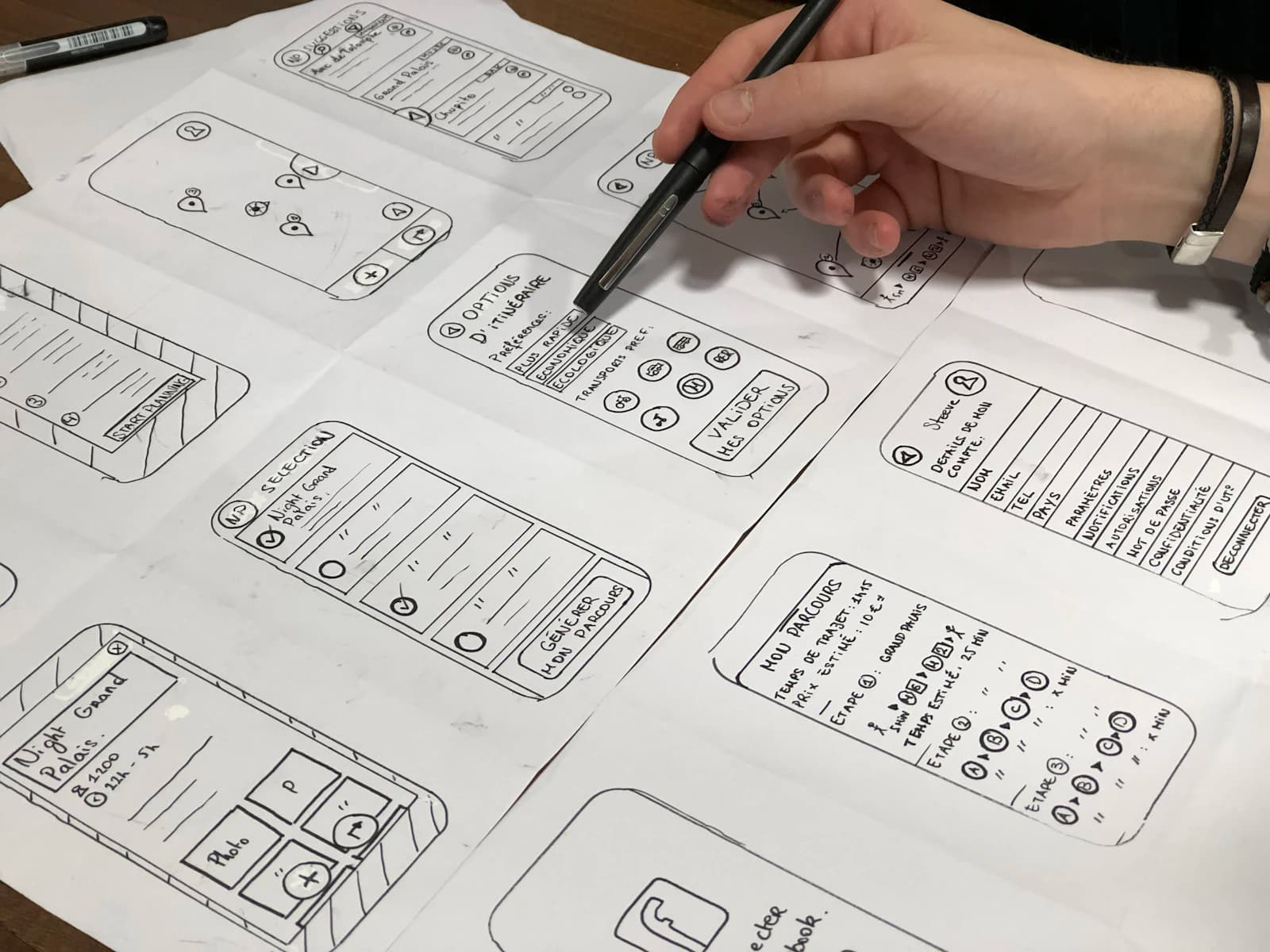
- Skipping wireframes and flow diagrams
- Ignoring admin panel requirements
- Treating payments and notifications as simple add-ons
- Not planning APIs and database structure early
- Launching without analytics
- Choosing no-code when custom logic is central
- Choosing custom code when a simpler MVP would validate faster
The cheapest path is not always the smallest quote. It is the path that validates the right workflow without creating technical debt.
Plan App Releases in Phases
A practical app roadmap usually has more than one release. Phase one should prove the core workflow. Phase two should improve the product based on user behavior. Phase three can add scale features, automation and deeper integrations.
For example, a service booking app may launch with customer login, service selection, booking request, admin approval and notifications. Later it can add payments, loyalty, route planning, CRM integration and dashboards. A marketplace may launch with curated supply and manual review before automating matching, payouts and dispute flows. A field team app may launch with task updates and location notes before adding offline mode or advanced reporting.
This protects budget because each phase has a measurable purpose. It also helps the development team build architecture with enough flexibility without pretending every future feature is needed immediately.
What a Good App Quote Should Include
When comparing app development proposals, check whether the quote includes product discovery, UI/UX, backend APIs, database, admin panel, QA, deployment, analytics and support. A quote that only lists mobile screens may be incomplete.
Also ask how the team will document API endpoints, handle push notifications, manage app store submissions, secure admin access and respond to bugs after launch. These details affect real ownership. The app is not only a design file converted into code. It is a live system that users, staff and business data will depend on.
If integrations are central, ask for them to be scoped separately. Payment gateways, CRM, WhatsApp, maps, calendars and dashboards each need testing. The more critical the workflow, the more carefully it should be documented.
CTA: Scope the App Before You Build
Scallar helps businesses plan app scope, MVP features, backend architecture, API integrations and launch phases. If you are comparing vendors or deciding whether to build native, hybrid or MVP first, review app development services, explore the app development pricing guide, or contact Scallar for a scope review.
App Quote Review Checklist
Before approving an app quote, check whether the scope includes backend APIs, database, authentication, admin panel, analytics, QA, deployment and support. A proposal focused only on screens can look attractive but leave major engineering work undefined.
Also check whether integrations are named clearly. Payments, maps, CRM, WhatsApp, push notifications and calendars each need setup and testing. If the app depends on them, they should not be treated as casual extras.
Ask what happens after launch. Who fixes bugs? Who handles app store updates? Who monitors API failures? Who helps interpret analytics? App cost planning is stronger when ownership continues beyond the first release.
Questions Buyers Usually Ask
What affects app development cost the most?
Feature scope, platform choice, backend complexity, admin panel needs, integrations, security requirements and maintenance plans are the biggest cost drivers.
Should startups build native apps first?
Not always. Many startups can validate with a cross-platform MVP or even a web app first. Native development makes sense when platform performance or device features are critical.
Do I need an admin panel for my app?
Most business apps need some form of admin panel. Without it, every content update, user change or support issue depends on a developer or manual database work.
Can Scallar connect the app with CRM or WhatsApp?
Yes. Scallar can connect app events to API integrations, CRM automation and WhatsApp follow-up workflows.
How should I start an app project?
Start with a discovery document: target users, core workflow, must-have features, data model, integrations, analytics events and launch plan. This makes estimates more accurate.
Related service
App Development
Native and cross-platform mobile applications for iOS and Android.
Explore this service pillar
Industries We Serve