Mobile App Modernization Services in India: Improve an Existing App Safely
A buyer guide to mobile app modernization in India: assessment, UX, architecture, integrations, accessibility, release planning, cost, and partner selection.


On this page
- Start With What the App Must Do Better
- What a Good App Modernization Assessment Covers
- Decide Between Targeted Improvement, Replatforming, and Rebuild
- Native, Cross-Platform, and the New Product Roadmap
- Compare Modernization Proposals by Delivery Control
- Pricing Factors for Mobile App Modernization
- Release Planning and Handover Matter as Much as the Build
- Common Mistakes to Avoid
- Keep the Procurement Decision Honest
An existing mobile app is easy to misjudge. The interface may look dated, but the real issue could be a brittle backend integration, an abandoned release process, unowned analytics, inconsistent user permissions, or a support team that has learned manual workarounds. Equally, an app can look modern while failing to solve the task that made customers download it in the first place. Modernization should begin with the operating problem, not with a request to "make it look like a new app."
Mobile app modernization services help a business improve the parts of an existing application that no longer support the product, customer, or operational model. The work can include discovery, UX, architecture, code, APIs, analytics, accessibility, testing, release planning, and handover. Scallar's app development services approach modernization as a controlled delivery programme, with decisions made around users, data, integrations, and future ownership. This guide explains how to choose the right scope without rebuilding blindly.
For adjacent decisions, review the mobile app development company guide, the mobile app testing and QA checklist, and app development pricing. These articles help separate a first build, a quality release, and a modernization programme.
Start With What the App Must Do Better
App modernization should identify a task that is failing, slow, risky, or difficult to improve. For a field-sales app, it may be lead capture, offline data entry, customer history, or manager approvals. For a customer app, it may be onboarding, search, booking, payments, support, or account recovery. For an internal operations app, it may be role-based workflows, integrations, reporting, notifications, or audit visibility.
Write the problem in user language. "The app has technical debt" may be true, but it does not tell a buyer what to prioritise. "Sales staff cannot reliably see assigned leads after a network change" or "customers abandon the appointment flow because it is unclear on smaller screens" gives a delivery team something observable to assess.
Before seeking a proposal, collect:
- The app-store links, versions, platforms, and current user groups.
- The highest-value journeys and where users or staff report friction.
- The current code ownership, repositories, build tools, release accounts, and access credentials.
- The APIs, databases, CRM, payment, messaging, authentication, analytics, and support tools connected to the app.
- Known crashes, support themes, security reviews, compliance constraints, and accessibility needs.
- The business owner who can make product decisions during the project.
This information lets a partner propose an appropriate assessment instead of assuming that a visual redesign or a framework migration will fix every issue.
What a Good App Modernization Assessment Covers
The assessment is the highest-leverage stage. It should produce choices, not a generic list of flaws. A capable team reviews the user journey, codebase, architecture, integrations, release process, data, security posture, analytics, and operational ownership.
Product and UX review
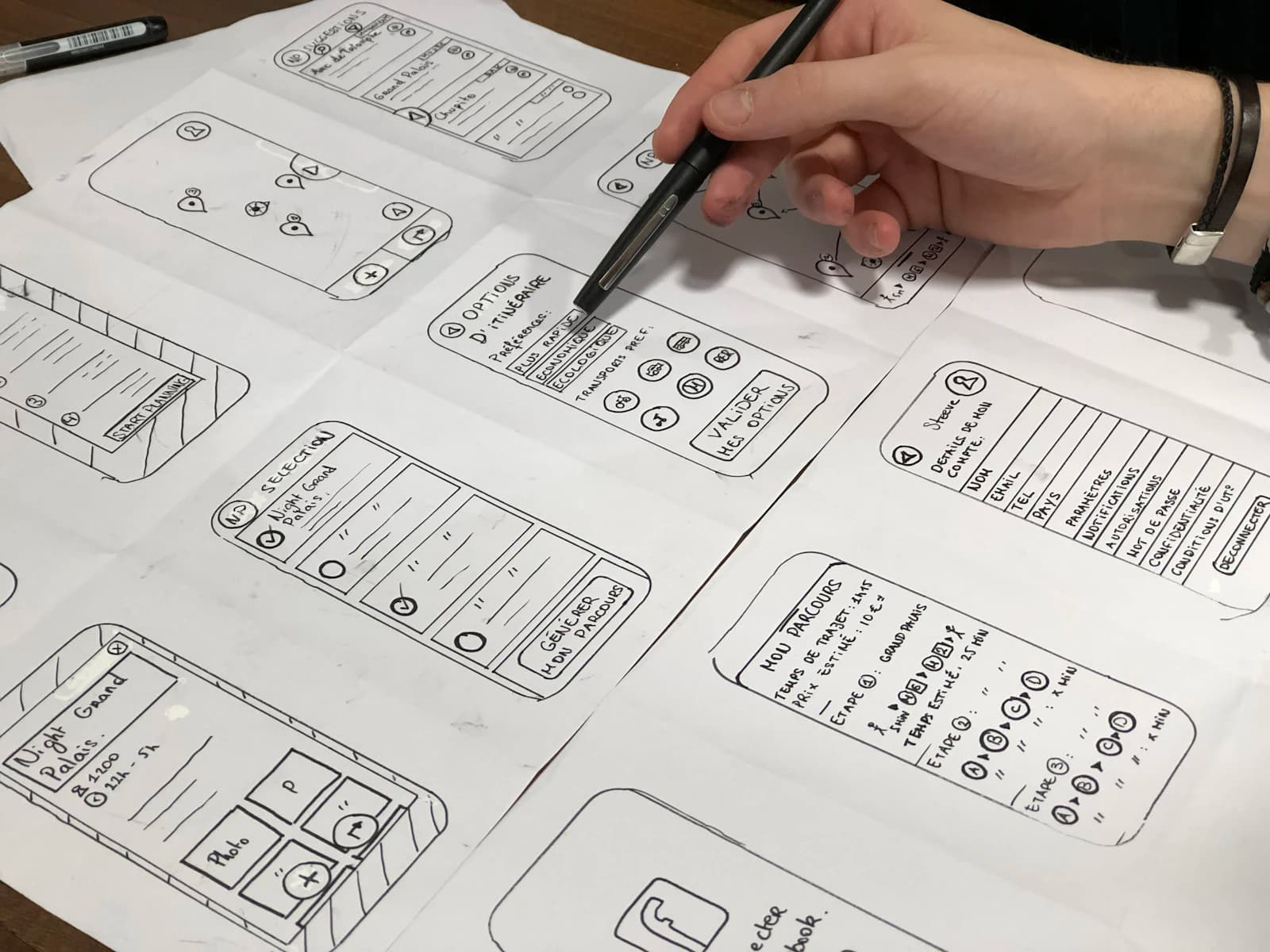
The team maps the journeys that matter most and observes where users hesitate, repeat work, abandon an action, or contact support. It reviews navigation, forms, error states, permissions, empty states, notifications, and accessibility. A redesign should make a workflow easier to complete, not only make screens more current.
The UI/UX design process guide explains how research, flows, prototypes, and acceptance criteria help connect design decisions to real tasks. Use it when the modernization brief includes both a product experience review and development work.
Engineering and architecture review
An assessment should identify the current framework, dependencies, build process, release path, code health, test coverage, API contracts, error handling, logging, and monitoring. It should also show where a targeted change is safer than a full rewrite. A complete rebuild can be appropriate, but it should be a decision supported by maintainability, user impact, integration constraints, and delivery risk rather than a default response to old code.
Data and integration review
Mobile applications often depend on systems that are invisible in a design mockup: CRM, ERP, payment gateways, maps, calendars, inventory, support tools, document stores, analytics, identity providers, or internal APIs. Modernization needs to map which system owns which record, how errors are handled, what happens offline, and how a failed sync reaches a human owner.
The app does not need to own every piece of data. It does need a clear source of truth and a safe handoff path. This is especially important when the project includes WhatsApp, CRM, or automation connections. A modern app that creates duplicate customer records or loses status changes will create more operational work, not less.
Decide Between Targeted Improvement, Replatforming, and Rebuild
There are three common approaches, and each can be correct.
Targeted improvement works when the core application is stable but specific journeys, integrations, performance paths, or release practices need attention. It is often the safest way to improve a critical app while preserving user familiarity.
Replatforming works when the business needs to move to a supported framework, cloud service, build system, or backend arrangement while preserving most product behaviour. The risks are data migration, feature parity, third-party dependencies, and release sequencing.
Rebuild works when the existing app cannot safely support the required product, architecture, security, accessibility, or operating model. A rebuild should still preserve the useful parts: customer insight, data rules, integrations, analytics, and user learning. It should not restart the product conversation from zero.
Ask every bidder to explain why it recommends one path, what it preserves, what it changes, and what evidence would make the recommendation change after discovery. This makes the decision more rigorous than choosing the newest technology label.
Native, Cross-Platform, and the New Product Roadmap
Native and cross-platform choices should follow the customer journey, device features, performance expectations, team skills, and release model. Native development can be right for deep platform needs, specialised performance, or a platform-specific experience. Cross-platform development can be right when a business needs a shared product surface across Android and iOS with a well-managed codebase. Neither option removes the need for API design, quality assurance, analytics, accessibility, and ongoing ownership.
Read the native vs cross-platform app development guide and the Flutter vs React Native comparison before treating a framework as the primary business decision. A partner should explain the trade-offs in delivery, hiring, maintenance, plugin dependence, testing, and feature roadmap without claiming that one approach is best for every app.
Compare Modernization Proposals by Delivery Control
A useful proposal should make it clear what the business receives at each stage and who owns the next decision.
| Area | Questions to ask | What to look for |
|---|---|---|
| Discovery | Which journeys, users, and systems will be reviewed? | A focused assessment with interviews, access needs, risks, and decision outputs. |
| UX | How will design choices be tested? | Flows, prototypes, error states, accessibility checks, and acceptance criteria. |
| Engineering | What changes in code, architecture, and release process? | A staged plan with dependencies, testing, and rollback considerations. |
| Integrations | Which systems own data and what happens on failure? | API contracts, monitoring, retry or escalation rules, and ownership. |
| Quality | What is tested before release? | Device coverage, functional tests, performance checks, security review, and release QA. |
| Handover | What can the internal team maintain? | Documentation, repositories, credentials, training, and support terms. |
Avoid a proposal that describes only screens or only code. App modernization succeeds when product, engineering, operations, and support agree on what changes and how the team will run the app after launch.
Pricing Factors for Mobile App Modernization
Costs vary with the number of platforms, user journeys, existing code quality, integration complexity, data migration, testing depth, design work, app-store release requirements, accessibility needs, monitoring, and post-launch support. A small project might improve a critical journey, update a dependency chain, and establish a safer release path. A larger one may replace backend services, redesign several roles, migrate data, rewrite client applications, and train internal support teams.
Ask for a staged commercial model. An assessment phase helps uncover the safest option. A delivery phase implements the agreed priorities. A release and support phase confirms adoption, defects, monitoring, and ownership. This structure is more honest than a fixed quote for a rebuild when the current app has not yet been inspected.
Release Planning and Handover Matter as Much as the Build
App users do not experience a modernization project; they experience a new version. Plan how users learn about the change, what happens to old versions, how authentication and data changes are handled, which support team owns questions, and how the business will monitor crashes, feedback, and key workflows after release.
Use a controlled rollout where the risk warrants it. Test with internal users or a limited group, confirm analytics and support signals, then widen availability. Keep release notes practical. Document how to roll back or disable a risky feature. Make sure the company owns its app-store accounts, repositories, keys, domains, analytics, and critical vendor relationships. These details are unglamorous, but they determine whether a modernized app remains maintainable.
Common Mistakes to Avoid
- Beginning with a visual redesign before understanding the broken user or operational journey.
- Choosing a framework before reviewing integrations, release process, and team ownership.
- Rebuilding without documenting current data rules, analytics, or support learnings.
- Assuming app-store release is the end of QA rather than the start of operating feedback.
- Neglecting error states, accessibility, offline behaviour, and smaller-device usability.
- Leaving repositories, accounts, keys, and documentation under unclear ownership.
- Promising a fixed product outcome before discovery has confirmed the technical and delivery risk.
Modernization should reduce uncertainty. A good programme leaves the business with a clearer product, safer delivery path, and stronger control over future changes.
Keep the Procurement Decision Honest
Before signing, ask the delivery team to turn the proposal into a short decision record. It should name the problem being solved, the journeys and platforms in scope, the systems that must integrate, the assumptions that still need validation, the acceptance criteria for each release, and the person on both sides who can resolve a trade-off. This document is useful when budget, feature requests, or deadlines change because it makes the impact visible. It also keeps a modernization project from becoming a collection of unrelated enhancements that are difficult to test, support, or explain after launch.
Questions Buyers Usually Ask
What are mobile app modernization services?
They assess and improve an existing application across product journeys, UX, code, architecture, integrations, data, quality assurance, release practices, analytics, and handover. Scope can range from targeted improvements to replatforming or a controlled rebuild.
Should we rebuild our old mobile app?
Not automatically. First assess the user journey, codebase, dependencies, integrations, ownership, and release process. A targeted improvement or replatforming effort may solve the real problem with less delivery and migration risk.
How long does an app modernization project take?
Timing depends on the number of platforms, features, integrations, data migration needs, testing, approvals, and release model. A discovery phase should establish a realistic sequence before the team commits to a full delivery timeline.
Can an existing app connect to CRM or automation systems?
Often yes, provided the APIs, data ownership, permissions, error handling, and monitoring are planned carefully. Scallar can assess how an app should connect with CRM, analytics, messaging, and operational workflows.
What affects app modernization cost in India?
The main factors are current code condition, platform coverage, UX scope, backend and API work, data migration, testing, accessibility, security, release requirements, and support. Compare staged scope and ownership rather than only a headline number.
Can Scallar help assess an existing app before rebuilding it?
Yes. Scallar can review the product journey, technical setup, integrations, release model, risks, and options before recommending a focused modernization plan. Explore app development services or start through the contact page.
Related service
App Development
Native and cross-platform mobile applications for iOS and Android.